



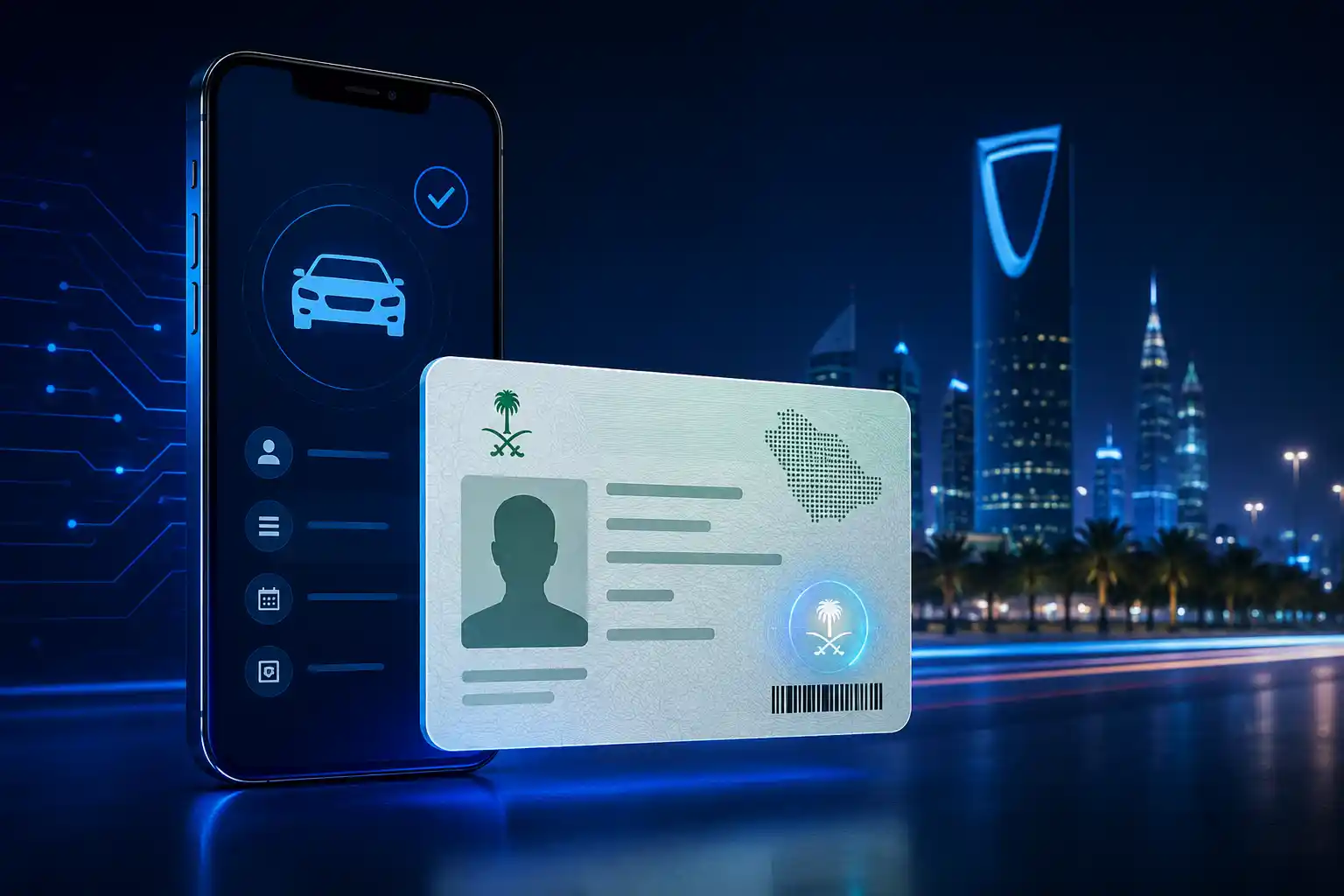
Saudi Arabia’s General Department of Traffic (Muroor) officially recognizes digital driving licenses issued through Absher and Tawakkalna as legally valid alternatives to physical plastic cards. This guide walks US expats and residents through activating, saving, and presenting their digital license at traffic stops, car rental agencies, and insurance checks.
Whether you are relocating to Riyadh for a corporate contract, driving through Jeddah, or exploring the highway networks across Saudi Arabia, carrying official identification is mandatory. Fortunately, the Saudi Ministry of Interior (MOI) working alongside the General Department of Traffic (Muroor) and the Saudi Data and Artificial Intelligence Authority (SDAIA) has officially approved the Saudi Digital Driving License as a legally binding alternative to the traditional physical plastic card.
For American expats and foreign residents accustomed to digital wallets and mobile state IDs in the United States, this transition offers major convenience. You no longer need to worry about leaving your wallet behind, misplacing your physical card, or facing fines for driving without immediate proof of licensing.
Official Approval: What Muroor Regulations Say
The General Department of Traffic (Muroor) issued an official statement confirming that electronic versions of driving licenses displayed on approved government platforms carry identical legal validity to printed physical cards.
┌────────────────────────────────────────────────────────────────────────┐
│                        LEGAL VALIDITY SUMMARY                          │
├────────────────────────────────────────────────────────────────────────┤
│  Issuing Authority   : Saudi Ministry of Interior (MOI) & SDAIA        │
│  Recognized Apps     : Absher Individuals & Tawakkalna Services        │
│  Legal Weight        : Equal to physical plastic driving license       │
│  Verification Method : Encrypted QR Code (Scannable Offline)           │
│  Governing Body      : General Department of Traffic (Muroor / المرور) │
└────────────────────────────────────────────────────────────────────────┘
Key Highlights of the Digital Mandate:
- Fully Equivalent: Security personnel and traffic officers across all Saudi regions are instructed to accept the digital document inside official apps.
- Encrypted QR Code Integration: The digital license displays a dynamic QR code containing encrypted driver data linked directly to the National Information Center (NIC) database.
- Offline Access: You do not need active cellular data or Wi-Fi to present your saved digital license during a traffic stop.
Comparison: Digital vs. Physical Driving License
Understanding how the digital driving license compares to the classic physical card helps clarify when and how to use each option.
| Feature / Criteria | Digital Driving License (Absher / Tawakkalna) | Physical Plastic License Card |
| Legal Status | Officially approved by Muroor & MOI | Officially approved standard document |
| Issuance Method | Instant generation upon license approval | Requires printing at Muroor office or mail delivery |
| Offline Verification | Supported via cached QR code in app | Always physical |
| Risk of Loss/Damage | Zero physical wear or wallet theft risk | Susceptible to loss, water damage, or physical theft |
| Renewal Updates | Instant automatic updates upon online renewal | Requires printing a replacement card |
| Primary Platforms | Absher Individuals & Tawakkalna | Physical Card Wallet |
| Car Rental Acceptance | Accepted by major rental firms (App/Printout) | Universally accepted |
| Replacement Fee | Free inside official mobile applications | Reissuance fee applies for lost cards |
How to Activate Your Digital License Step-by-Step
Activating your digital driving license requires an active Iqama (Resident ID) and an activated Absher account. You can view and store your document using two main mobile applications: Absher Individuals and Tawakkalna.
Option 1: Accessing via Absher Individuals (Recommended)
The Absher Individuals app is the primary source for all personal government documents in Saudi Arabia.
  ┌─────────────────────────────────────────────────────────┐
  │ STEP 1: Download & Log into 'Absher Individuals' App    │
  └────────────────────────────┬────────────────────────────┘
                               │
                               ▼
  ┌─────────────────────────────────────────────────────────┐
  │ STEP 2: Complete 2FA Verification (OTP to Mobile)       │
  └────────────────────────────┬────────────────────────────┘
                               │
                               ▼
  ┌─────────────────────────────────────────────────────────┐
  │ STEP 3: Navigate to 'My Services' / 'Digital Documents' │
  └────────────────────────────┬────────────────────────────┘
                               │
                               ▼
  ┌─────────────────────────────────────────────────────────┐
  │ STEP 4: Select 'Driving License' & View Encrypted QR    │
  └────────────────────────────┬────────────────────────────┘
                               │
                               ▼
  ┌─────────────────────────────────────────────────────────┐
  │ STEP 5: Tap 'Save to Device' for Offline Emergency Use  │
  └────────────────────────────┴────────────────────────────┘
- Download the App: Install Absher Individuals from the Apple App Store or Google Play Store.
- Authenticate: Log in using your Iqama number and Absher password. Enter the One-Time Password (OTP) sent to your registered Saudi mobile number.
- Open Digital Documents: From the bottom navigation menu or main dashboard, tap Digital Documents (or My Documents).
- Locate Driving License: Select your driving license from the list of digital credentials.
- Download / Save for Offline Access: Tap the save or download icon to cache the digital document directly to your smartphone. This ensures the QR code displays properly even in remote areas without phone service.
Option 2: Accessing via Tawakkalna Services
Tawakkalna is Saudi Arabia’s official super-app for public and government services.
- Log into the Tawakkalna Services application using your National ID / Iqama credentials.
- Go to the Digital Wallet section.
- Tap on Driving License to expand the full document view displaying your photograph, license type, expiry date, and QR verification code.
App Comparison: Absher vs. Tawakkalna for Drivers
Both apps access the same centralized database maintained by the National Information Center (NIC), but each serves slightly different daily needs.
| Metric / Function | Absher Individuals | Tawakkalna Services |
| Primary Purpose | Comprehensive portal for civil & traffic services | Daily digital wallet & public utility access |
| Driving License Access | Yes (Under Digital Documents) | Yes (Under Digital Wallet) |
| Offline Display Capability | Yes (Supports local caching) | Yes (Supports digital wallet caching) |
| Additional Vehicle Tools | Check traffic violations, renew license, transfer vehicle ownership | View basic vehicle registrations and quick profile IDs |
| Ease of Quick Display | Moderate (Requires 2-step navigation) | High (Quick wallet widget available) |
Real-World Usage Scenarios for US Expats
Navigating traffic requirements in a foreign country can be intimidating. Here is how the digital license performs across common real-world situations in Saudi Arabia:
1. Police Checkpoints & Highway Patrol
Saudi security forces frequently set up random traffic checkpoints (Noktat Tafteesh) on main highways and city thoroughfares. When pulled over:
- Open your Absher or Tawakkalna app.
- Present the live or cached Digital Driving License.
- The officer will scan the embedded QR code using their handheld police verification terminal to instantly confirm validity in the Muroor system.
Pro-Tip for Expats: Do not present a static screenshot saved in your photo gallery if the officer requests a live scan. While screenshots show basic details, police terminals require an authentic QR code generated directly within the app or cached via official app controls.
2. Renting a Car in Saudi Arabia
If you are renting a car at King Khalid International Airport (RUH) in Riyadh or King Abdulaziz International Airport (JED) in Jeddah, major rental agencies (Hertz, Budget, Key Car Rental, Sixt) accept the digital license. However, smaller local car rentals may still ask for a physical card or a printout. It is good practice to confirm with the rental counter beforehand.
3. Traffic Accidents & Najm Reporting
In the event of a minor traffic accident, the Najm officer inspecting the scene will ask for identification. You can present your digital license inside Absher or Tawakkalna. The Najm inspector will scan the QR code to attach your driver profile to the official accident report.
Essential Requirements & Prerequisites for US Expats
Before relying entirely on your digital driving license, ensure you meet these essential prerequisites:
- Valid Iqama (Resident Permit): Your digital driving license is intrinsically tied to your official Iqama number. If your Iqama expires, your digital documents will reflect an inactive status.
- Absher Account Registration: You must have a registered and verified Absher account linked to a Saudi mobile number (STC, Mobily, Zain, or Virgin Mobile).
- Converted / Valid Saudi Driver’s License: US driver’s license holders must complete the official conversion process (or pass required driving tests at an authorized school) to obtain a Saudi driving license before a digital version appears in Absher.
- Active Car Insurance: In Saudi Arabia, driving without valid vehicle insurance carries automated fines. Ensure your insurance is valid and linked to your vehicle in the Absher portal.
Important Security & Troubleshooting Tips
To keep your digital documents secure and available when needed, follow these security recommendations:
- Enable Offline Storage: Open the Absher app while connected to Wi-Fi/data and save the document locally so it opens without an active internet connection.
- Keep Phone Charged: A dead smartphone battery is not considered a valid excuse by traffic police. Keep a car charger or power bank in your vehicle at all times.
- Beware of Phishing Schemes: Never enter your Absher login credentials or OTP on third-party websites or links received via SMS/WhatsApp. Always use official mobile applications downloaded from official app stores.
- Keep Apps Updated: Update Absher Individuals and Tawakkalna regularly to avoid unexpected login crashes during traffic inspections.
Summary Checklist for US Expats Driving in KSA
Before heading onto the road in Saudi Arabia, complete this quick checklist:
- Verify Iqama Validity: Ensure your residency status is active.
- Install Absher Individuals: Verify log-in capability and 2FA.
- Cache Digital License: Download the document inside Absher for offline access.
- Verify Vehicle Insurance: Ensure active coverage is linked to your car in Absher.
- Keep Accessories Handy: Store a mobile car charger in your glove compartment.
By taking advantage of Saudi Arabia’s advanced digital infrastructure, US expats can drive confidently across the Kingdom knowing their digital driving credentials are secure, verified, and legally compliant.
Frequently Asked Questions (FAQs)
Is the digital driving license accepted for international travelers on a tourist visa?
No. The digital driving license generated on Absher and Tawakkalna is designed for citizens and foreign residents holding a valid Iqama. Visitors on a US tourist visa must carry their original US driver’s license alongside an International Driving Permit (IDP) when driving rental vehicles in Saudi Arabia.
Do I still need to apply for a physical card when issuing or renewing my license?
When issuing or renewing your Saudi driving license through Absher, you can choose whether to order a physical card printout or rely solely on your digital license. While the digital version is legally approved for daily road use, keeping a physical card as a secondary backup is recommended for cross-border trips into neighboring GCC countries (e.g., UAE, Bahrain, Oman).
What happens if I am stopped in an area with zero mobile network coverage?
The digital driving license feature inside Absher Individuals is engineered to function offline. As long as you have opened and saved the digital document previously inside the app, you can display the stored document and QR code without an active internet connection.
Can I use a regular phone screenshot of my digital license?
While traffic officers can visually read your details from a screenshot, official guidelines advise using the live document or cached document inside the official Absher or Tawakkalna app. The dynamic QR code inside the app provides verified cryptographic authentication that officers rely on.
How do I update my photo on the digital driving license?
Your digital driving license automatically syncs its photo from your official passport/Iqama biometrics stored at the Saudi Jawazat (General Directorate of Passports). Updating your official Iqama photo automatically updates the picture on your digital driving license.
