


Last updated: 27 October 2026
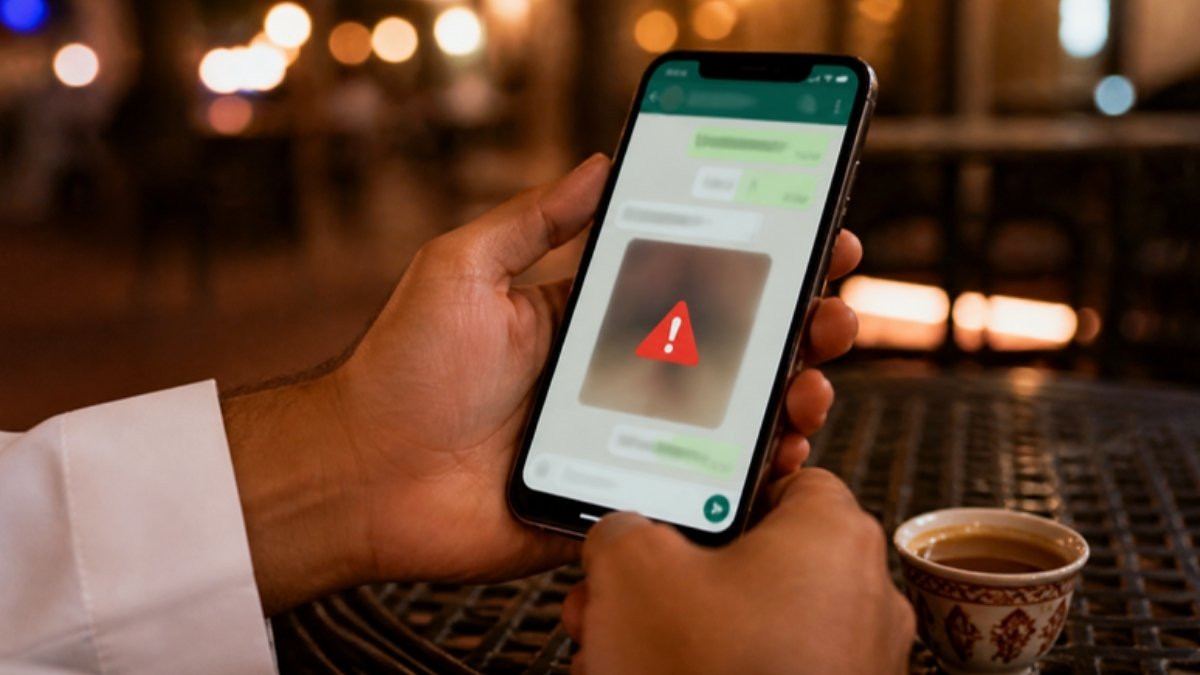
A WhatsApp hack warning is going round Saudi social media this week: scammers send photos, videos and documents from unknown numbers, hoping you open them or that your phone saves them automatically. The fix takes two minutes. Turn off media auto-download, update WhatsApp, turn on two-step verification and never open files from numbers you do not know.
Most WhatsApp accounts in Saudi Arabia are not taken by clever hacking. They are lost because someone shares a code, taps a link or opens a file that looks like a family photo or a delivery receipt. But real app bugs do exist too: WhatsApp’s own security advisories for 2026 list two flaws involving media and attachments, both fixed in newer versions. The steps below close both doors.
How the WhatsApp Hack Images and Files Scam Works
The pattern is simple. A message arrives from a number you have not saved, often with a foreign code or a +966 number with no name. It carries a photo with a line like “Is this you?”, a short video, a PDF called “invoice” or “salary slip”, or a file that claims to be a document but is really an app or program. The goal is one of three things:
- Get you to open a harmful file. On WhatsApp for Windows, older versions had a bug (CVE-2026-23863) where a file could look like a normal document but run as a program when opened. WhatsApp fixed it in version 2.3000.1032164386.258709.
- Push media onto your phone automatically. With auto-download on, every photo and video lands in your gallery without a tap. A separate 2026 bug (CVE-2026-23866) let an attacker make the app process media from an outside link on some iPhone and Android versions. WhatsApp says it saw no sign it was used against real users.
- Start a conversation that ends with a code or a link. The image is the hook; the real attack is the next message asking you to “verify”, share a 6-digit code or open a link.
Follow Saudi Life Guide for Iqama, visa and job updates
New rules, fees and news as soon as we publish them. Join 83,500+ followers on Facebook.
7 Steps to Stop a WhatsApp Hack
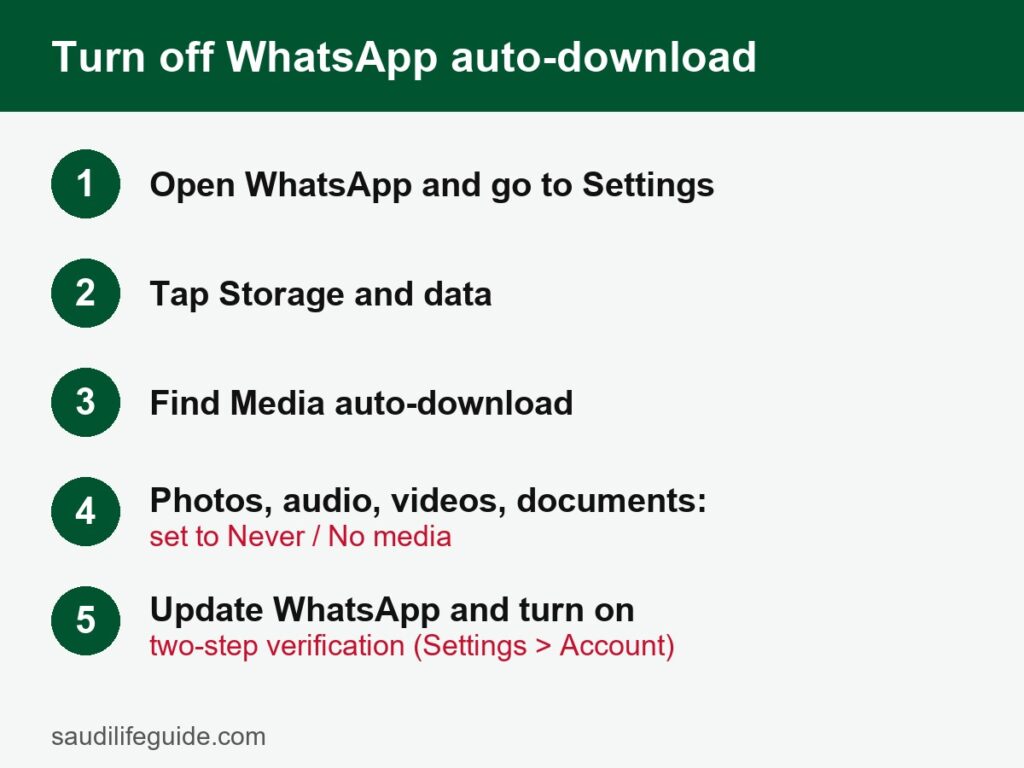
1. Turn off media auto-download
This is the step the viral WhatsApp hack warning is about, and it is worth doing on every phone in the family. Open WhatsApp, then:
| Phone | Path | Set to |
|---|---|---|
| Android | Three dots menu, Settings, Storage and data, Media auto-download | Untick photos, audio, videos and documents for mobile data, Wi-Fi and roaming |
| iPhone | Settings tab, Storage and Data, Media Auto-Download | Photos, Audio, Videos and Documents: Never |
| WhatsApp for Windows or Mac | Settings, Storage, Automatic downloads | Untick all types |
Photos and videos now show as blurred previews until you tap them. You still receive everything, but nothing is saved or opened without your say. It also saves mobile data and phone storage, which helps if you are on a small mobile data package.
2. Update WhatsApp and your phone
Both 2026 media bugs are fixed in current versions. Open the Play Store or App Store, search WhatsApp and tap Update. On a Windows PC, update WhatsApp from the Microsoft Store. Turn on automatic updates so you do not have to remember.
3. Turn on two-step verification
Go to Settings, Account, Two-step verification, and set a 6-digit PIN. It is the single best defence against a WhatsApp hack: even if a scammer gets your SMS code, they cannot register your number on another phone without this PIN. Add an email address so you can reset it if you forget.
4. Never share your 6-digit code
WhatsApp, banks, Absher and courier companies never ask for your WhatsApp code. A common trick in Saudi Arabia is a message from a friend’s hacked account saying “I sent you a code by mistake, please forward it”. Forwarding it hands over your account.
5. Check Linked devices
Open Settings, Linked devices. If you see a computer or browser you do not use, tap it and log out. Hackers often stay hidden here after a one-time scan of a QR code.
6. Silence and block unknown senders
Under Settings, Privacy, turn on Silence unknown callers, and under Privacy, Advanced, turn on Block unknown account messages, which stops floods of messages from unknown accounts. Report and block any number that sends you an unexpected file: open the chat, tap the name or number, then Report and Block.
7. Do not open files you were not expecting
Even from a known contact, call or voice-note them before opening an unexpected PDF, APK or ZIP file. Real invoices come from the company app or email, not a random WhatsApp number. Files ending in .apk or .exe are programs, never photos or documents.
Signs of a WhatsApp Hack
- Friends tell you they received strange links, files or money requests from your number.
- You see messages in your chats that you did not send, or chats marked as read that you never opened.
- A WhatsApp registration code arrives by SMS when you did not ask for one.
- An unknown computer or browser appears under Linked devices.
- WhatsApp logs you out and says your number is registered on another phone.
What to Do After a WhatsApp Hack in Saudi Arabia
- Open WhatsApp and register again with your own number. The new SMS code logs the other person out.
- Turn on two-step verification at once, then log out all unknown linked devices.
- Post a status and message close contacts: do not send money or codes to anyone using your number.
- If you shared bank details or money was taken, call your bank’s fraud line immediately and ask them to block transfers.
- Report fraud, blackmail or account theft to the police through the Kollona Amn app or Absher. Forward scam SMS messages free to 330330, the CST spam reporting number.
A WhatsApp hack often goes with a SIM swap or a number registered in your name. It is worth running a quick check of the SIM cards registered on your iqama and reporting any number you do not own. The same care applies when you sell or give away an old phone: log out of WhatsApp and wipe it first.
Is the Viral WhatsApp Warning Official?
The image going round on Facebook and WhatsApp this week comes from news pages, not from a Saudi government statement, and we found no new advisory from the National Cybersecurity Authority or Public Security about it. The advice itself is sound and matches WhatsApp’s own safety guidance, so following it costs nothing. As always, trust official accounts for alerts, and be wary of forwards that ask you to share them “before they delete it”.
Frequently Asked Questions
Can my WhatsApp be hacked just by opening an image?
It is rare, but it has happened through app bugs. WhatsApp’s own 2026 security advisories list a flaw that let an attacker make a phone process media from an outside link, and another on WhatsApp for Windows where a harmful file could look like a normal document. Both are fixed in newer versions, so the best protection is to keep WhatsApp updated and not open files from unknown numbers.
How do I turn off WhatsApp auto-download?
Open WhatsApp, go to Settings, then Storage and data. Under Media auto-download, set photos, audio, videos and documents to No media (Android) or Never (iPhone) for mobile data, Wi-Fi and roaming. From then on, nothing saves to your phone until you tap it. On WhatsApp for Windows or Mac, change the same setting under Settings, then Storage.
How do I know if my WhatsApp is hacked?
Warning signs are messages you did not send, contacts telling you they got strange links from you, a WhatsApp verification code arriving that you did not ask for, or an unknown computer under Linked devices. Open Settings, then Linked devices, and log out any device you do not recognise. Then turn on two-step verification straight away.
What should I do if my WhatsApp is hacked in Saudi Arabia?
Reinstall or reopen WhatsApp and register again with your phone number; the SMS code logs the other person out. Turn on two-step verification, log out unknown linked devices and warn your contacts not to send money or codes. If money was taken or you are being blackmailed, report it to the police through the Kollona Amn app or Absher, and call your bank at once.
Will a WhatsApp employee or bank ever ask for my 6-digit code?
No. WhatsApp, Saudi banks and government services never ask you to share the 6-digit WhatsApp registration code or your two-step PIN. Anyone who asks for it, even a friend’s number, is trying to take over your account. Many expats in Saudi Arabia lose their account exactly this way, after a message that says the code was sent by mistake.
Sources: WhatsApp security advisories 2026 (whatsapp.com/security/advisories) and WhatsApp safety page; Communications, Space and Technology Commission (cst.gov.sa) on reporting fraudulent messages to 330330; Public Security reporting through the Kollona Amn app as reported by Arab News. Menu names can differ slightly by app version.