



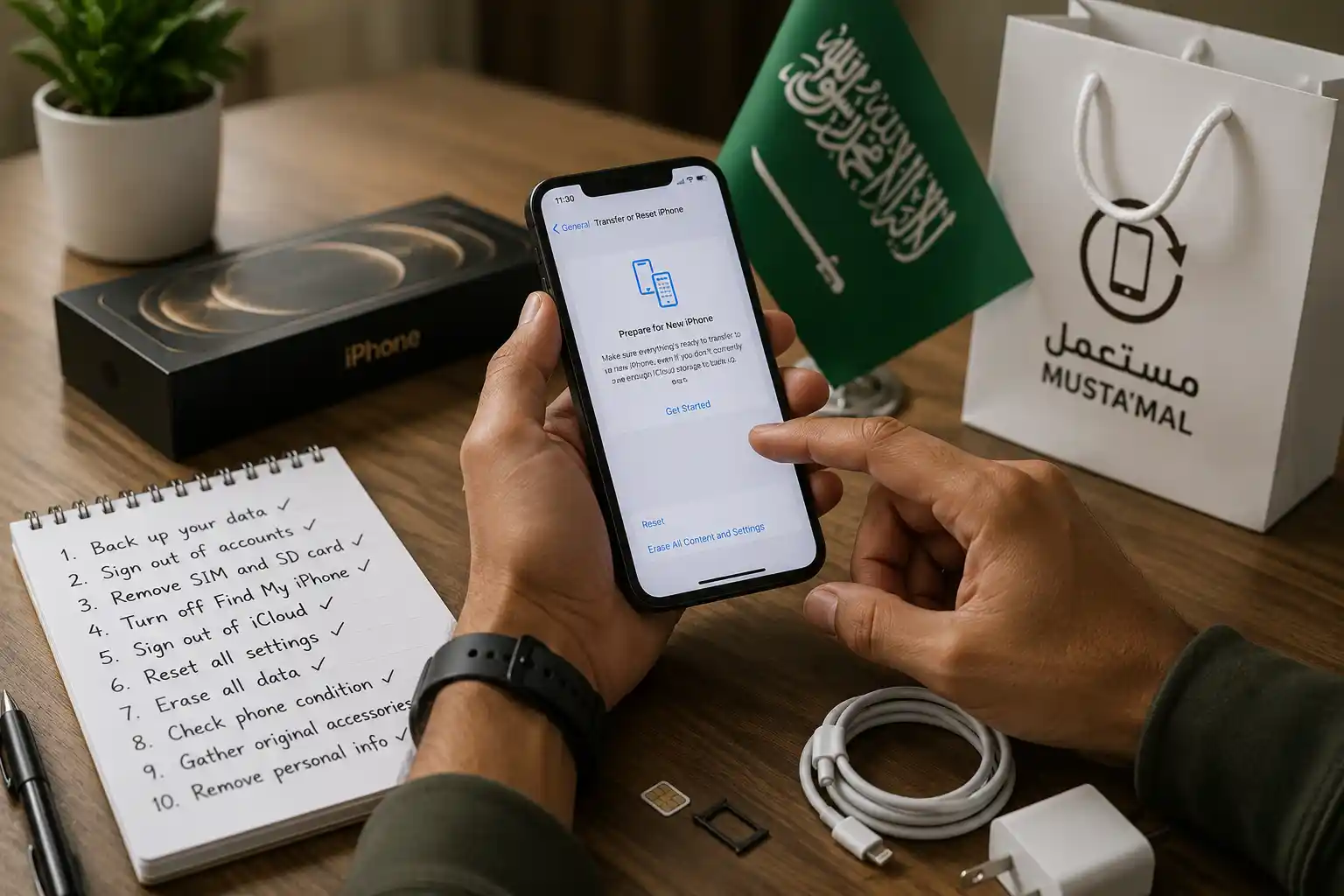
Before you sell your old phone in Saudi Arabia, remove the SIM and any eSIM, sign out of Absher, Nafath, Tawakkalna and your banking apps, turn off Find My iPhone or the Google account lock, then run a full factory reset. Do it in that order, because a reset alone leaves accounts attached.
That order is the part most people get wrong. They wipe the handset first, feel safe, and then discover the phone is still tied to an Apple or Google account, or that the SIM inside it is still registered to their Iqama. Fixing either after the fact is much harder than doing it in sequence.
Quick summary: 10 steps before you sell your old phone in Saudi Arabia
| # | Step | Why it matters here |
|---|---|---|
| 1 | Back up what you need | Iqama, contract and visa photos usually exist only on the phone |
| 2 | Sign out of Absher and Nafath | These control government access, not just an app login |
| 3 | Clear Tawakkalna and other government apps | They hold health, dependant and document records |
| 4 | Unlink banks, mada and wallets | Device binding can survive a simple uninstall |
| 5 | Remove the SIM, delete the eSIM | The line stays registered to your Iqama |
| 6 | Check the numbers on your Iqama | Confirms nothing extra is attached to your name |
| 7 | Turn off Find My or the Google lock | Otherwise the buyer receives a locked handset |
| 8 | Take out the memory card | A factory reset does not touch it |
| 9 | Wipe, do not just delete | Deleted files remain recoverable on older phones |
| 10 | Settle warranty and installments | Device plans follow your account, not the handset |
Step 1: Back up what you actually need
Most expats keep their whole administrative life on one device: photos of the Iqama, the employment contract, the medical insurance card, the exit and re-entry approval, the tenancy paper. Copy those somewhere real before anything else. A cloud account is fine, but pull a second copy onto a laptop or an external drive, because a cloud account you later lose access to is not a backup.
Check the backup opened properly before you continue. Restoring from a backup that silently failed is a bad afternoon.
Step 2: Sign out of Absher and unregister Nafath
Absher is not a normal app. It is the front door to your Iqama services, exit and re-entry visas, dependants and traffic file. Signing out of the app on the old handset is the minimum. What matters more is the mobile number registered to your Absher account, because every verification code goes there, so make sure that number is in a phone you still hold.
Nafath approves logins for a long list of government and bank services. Set it up on your new phone first, confirm a real login works, and only then remove it from the old one. Doing it the other way round is how people lock themselves out for a week. If you are unfamiliar with what sits behind the platform, the range of Absher digital services is wider than most residents realise.
Step 3: Clear Tawakkalna and the other government apps
Tawakkalna carries health records, dependant details and document copies. Qiwa, Muqeem, Sehhaty and Tawuniya apps hold similar material. Log out of each one and delete it rather than trusting the reset to take care of it. This costs five minutes and removes the single most sensitive category of data on the device.
Step 4: Unlink your money before anything else technical
Banking apps in Saudi Arabia bind themselves to a device. Uninstalling the app does not always tell the bank that the device is gone, so open each banking app and deregister the device from inside it, then remove it. Do the same for STC Pay, Apple Pay or Google Wallet, and delete any saved mada card.
Many expats in Saudi Arabia run two or three accounts across different banks and forget the one they rarely open. Work down the list from your statements rather than from your home screen. If you are consolidating while you are at it, our guide to the best bank in Saudi Arabia for expats covers what actually differs between them.
Step 5: Take out the SIM, and delete the eSIM
The SIM is not part of the phone as far as the regulator is concerned. It is registered to your Iqama, and it stays your responsibility. Never hand it over with the handset. Move it to your new device or close the line through stc, Mobily or Zain.
An eSIM needs a separate action, because there is no plastic to pull out. Open the mobile or cellular section of the settings, select the profile, and delete it. Deleting the profile only removes it from that handset, so contact the operator if you also want the number transferred or cancelled. If you are activating a line on the new device, the process for how to register a mobile number with your Iqama has not changed.
Step 6: Check what is still registered on your Iqama
This is the step that has nothing to do with the handset and everything to do with you. Numbers can be registered against an Iqama without the holder noticing, usually through a copied document. A phone sale is a natural moment to check the list, since you are already touching your lines. It is also worth knowing the current SIM card limit in Saudi Arabia so you can tell at a glance whether the count looks wrong.
Step 7: Turn off the device lock, or the buyer gets a brick
On an iPhone, signing out of your Apple Account switches off Activation Lock. On Android, removing your Google account before the reset clears Factory Reset Protection. Skip this and the new owner hits a login screen they cannot pass, which usually means the phone comes back to you, sometimes with an argument attached.
Do it before the wipe, not after. Once the phone is reset and still locked, you have to sign in again to release it.
Step 8: Pull the memory card and check the quiet folders
A factory reset does not erase a microSD card. Take it out, and either format it separately or keep it. While you are there, look at the folders people forget: WhatsApp media, the downloads folder, screenshots of OTP messages, and the recently deleted album, which holds photos for weeks after you think they are gone.
Step 9: Wipe it properly, do not just delete
Deleting files and emptying a folder is not erasure. On a modern encrypted phone, a full factory reset throws away the encryption key, which makes what remains unreadable in practice. On an older handset that was never encrypted, ordinary recovery tools can still pull material back, so check whether encryption is switched on in the security settings before you reset.
The principle is recognised nationally. In August 2024 the National Cybersecurity Authority put out a draft national standard for the secure erasure or destruction of devices and storage media, drawing the same distinction between wiping a device and physically destroying it. That document is aimed at organisations rather than individuals, and it was published for public consultation rather than as a rule for households, but the logic behind it applies to the phone in your drawer.
Step 10: Close the paperwork before you hand it over
If the phone came on an installment plan from an operator, the plan follows your account rather than the handset. Settle or transfer it first. Keep the invoice if there is warranty left, since the buyer will ask, and note the IMEI somewhere before the device leaves, because you will want it if a dispute follows.
Meet in a public place, count the money before the phone changes hands, and do not accept a transfer screenshot as proof of payment. Wait for the funds to show in your own app.
What this means for expats
The real risk when you sell your old phone in Saudi Arabia is not that a stranger sees your holiday photos. It is that a line registered to your Iqama, or an app still bound to your bank, stays live on a device somebody else controls. Those two things sit at the top of the list for a reason.
Give away a phone to a friend or a colleague and the same rules apply, only with more embarrassment attached if you get it wrong. Family handovers are where people skip the account steps, because it feels unnecessary. Do them anyway. The phone will outlive the friendship far more often than anyone expects, and selling a clean device is also just a sensible way to save money when you upgrade.
Frequently asked questions
Does a factory reset remove my Absher account from the phone?
No. A factory reset wipes the app and its data from the handset, but your Absher account lives on the Ministry of Interior servers, not on the phone. What matters is that the mobile number registered to Absher stays under your control, because that number receives the verification code.
Should I give the buyer my SIM card with the phone?
No. The SIM stays registered to your Iqama, and you remain responsible for the line. Keep it, move it into your new phone, or cancel it through your operator. Handing the card to a stranger leaves a number active in your name on a device you no longer control.
How do I remove an eSIM before selling my phone?
Open your phone’s mobile or cellular settings, select the eSIM profile, and delete it. Deleting the profile removes it from the handset only. It does not cancel the subscription, so contact stc, Mobily or Zain if you want the number moved to your new device or closed.
Can the buyer recover my photos after a factory reset?
On a modern encrypted phone a factory reset destroys the key, which makes the old data unreadable in practice. Older handsets that were never encrypted are a different case, and simple deletion is recoverable with ordinary tools. Check the security settings before you reset an old device.
What if I am selling the phone because I am leaving Saudi Arabia?
Do the same ten steps, then keep the Absher mobile number reachable. Many exit and re-entry, GOSI and bank confirmations arrive by SMS after you have flown. Expats who cancel the line on the way to the airport often lose access to the codes they need next.
