



Last updated: 8 November 2026
To change mobile number in Absher while your old number still works, log in, open your user information, enter the new number and confirm it with the code sent to that number. If you lost the old SIM, open the Absher app without logging in, choose Digital Identity Management, then Change Mobile Number, and finish with a face check. You can also use the Nafath app, an Absher self-service kiosk, or the activation staff at Jawazat or Civil Affairs. Banks cannot change it.
Many expats in Saudi Arabia face this the hard way: the old SIM is gone, the Absher code goes to a dead number, and every service from exit re-entry to traffic fines is suddenly out of reach. The good news is that Absher now gives you several ways back in, and most people no longer need to stand in a queue. This guide covers all five routes, the rules for the new number, and what to do when a route refuses you.
Ways to Change Mobile Number in Absher at a Glance
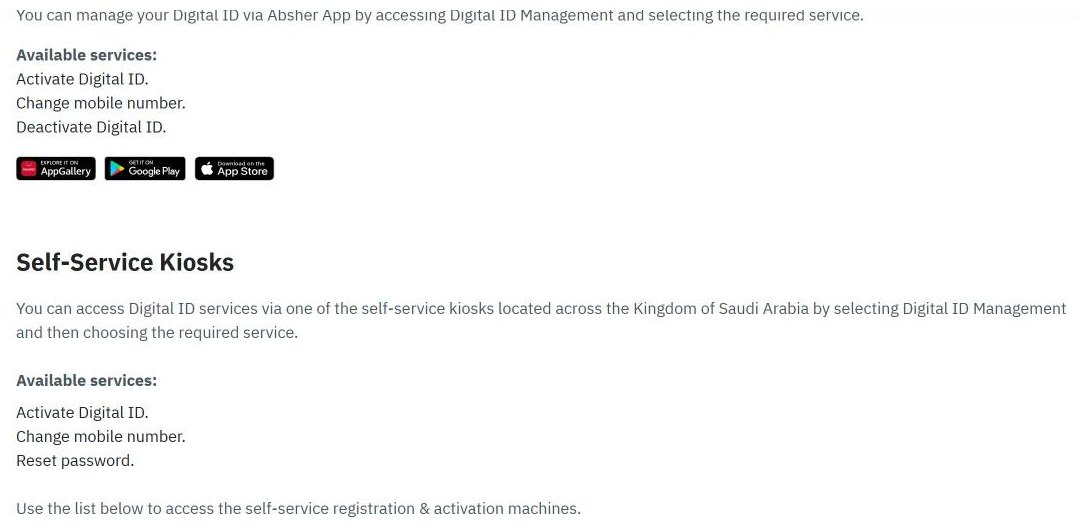
Absher lists the official channels on its Digital Identity Management and Activation Channels page. Pick the row that matches your situation:
| Route | Old number needed? | How you prove it is you | Best for |
|---|---|---|---|
| Absher website or app, logged in | Yes, to log in | Password and code | You still have the old SIM |
| Absher app, before login | No | ID, date of birth and face check | Lost or cancelled old number |
| Nafath app, logged out | No | Code to the new number and face scan | Lost old number, Nafath installed |
| Absher self-service kiosk | No | Fingerprint | The apps refuse you |
| Jawazat or Civil Affairs activation staff | No | Identity check by the officer | Fingerprint or face check fails |
| Bank branch | Not possible | n/a | Banks can only activate an Absher account |
Follow Saudi Life Guide for Iqama, visa and job updates
New rules, fees and news as soon as we publish them. Join 95,500+ followers on Facebook.
Rules for the New Number
Before you start, make sure the new number passes these checks. Most failed attempts come from one of them.
- Active in your phone: the number must be working and with you during the process, because the code or confirmation goes to the new number.
- Registered to you: for the in-app change, Absher said in August 2026 that the number must be registered under your own ID or a first-degree relative’s ID, as reported by Ajel. A SIM in your own name avoids trouble later with banks.
- One number, one account: a mobile number can be linked to only one Absher digital identity. If you use a number that is already on someone else’s account, Absher removes it from that account and moves it to yours, and the other person loses access.
- No shared family numbers: the Absher FAQ says a parent’s number cannot be used for family members’ accounts, and each domestic worker’s account needs its own number.
Not sure the SIM is on your iqama? Check it first with our guide to checking SIM cards on your iqama. If it is in a friend’s or an old sponsor’s name, get a SIM in your own name first; our guide on how to link a mobile number with your iqama shows how.
How to Change Mobile Number in Absher When the Old Number Works
This is the quickest route, because you can still receive the login code on the old number.
- Log in to Absher Individuals with your username or iqama number, password and the code sent to your current number.
- Open My Account, then User Information, and choose Edit.
- Type the new mobile number and the image code, then save.
- Enter the code that Absher sends to the new number.
Absher has explained this route in posts relayed by the Saudi press, but the menu names can shift between app updates. If you do not see User Information, look under your profile or account settings in the app.
Change Absher Number Without the Old SIM (Absher App)
Lost phone, SIM cancelled after a trip home, or a number your old company paid for? On 6 October 2026, Absher posted the in-app steps that work before you log in:
- Open the Absher Individuals app and, without logging in, tap More.
- Choose Digital Identity Management, then Change Mobile Number.
- Enter your iqama number and date of birth.
- Enter the new mobile number and tap Change Mobile Number.
- Complete the biometric check with your phone camera to confirm.
Based on real expat experience in KSA, the face check is where this route fails. Absher says the phone must take good photos with both the front and rear cameras. Use a recent phone, clean the lenses, stand in even light and keep your whole face in the frame. If it still fails, move to the kiosk or office routes below.
Change the Number Through the Nafath App
Nafath runs on the same digital identity as Absher, so it can update the number too. Nafath’s own help describes it like this:
- Log out of the Nafath app, then tap Settings on the home screen.
- Choose Update Mobile Number for Digital Identity.
- Enter your iqama number and the new mobile number.
- Enter the code sent to the new number and complete the face scan.
Nafath says the update completes within 10 minutes, so wait before trying again. For installing and activating Nafath, see our Nafath app guide.
Absher Kiosk: Update Mobile Number With Your Fingerprint
Absher self-service kiosks can change the mobile number for you. In October 2026, Absher’s kiosk locator listed 846 kiosk locations across 13 regions, 413 of them inside Mobily shops, plus kiosks at Jawazat and Civil Affairs offices, malls, hospitals and airports. Kiosks follow the opening hours of the place they stand in.
- Find a kiosk with the Absher Activation Devices locator on absher.sa (choose region, then city), or use our list of Absher kiosk locations and timings.
- Choose Digital ID Management, then Change Mobile Number.
- Enter your iqama number and scan your fingerprint when asked.
- Enter the new number and confirm with the code sent to it.
- Log in to Absher with the new number.
Carry your original iqama and the phone with the new SIM in it. If you are in the capital, the kiosks inside the main Jawazat offices in Riyadh are a good fallback, because the activation staff are in the same building.
Jawazat or Civil Affairs: When the Kiosk Fails
Activation officers at the General Directorate of Passports (Jawazat) and at Civil Affairs offices (Ahwal) can change the number after checking your identity. The Absher FAQ says that when a kiosk cannot read your fingerprint, you should book an appointment: Appointments, then Passports, then Book an Appointment.
- Take your original iqama and the phone with the new SIM.
- The officer submits the request; the confirmation goes to the new number.
- Absher has advised that if no approval message arrives within 24 hours, you should go back to the officer to have the request approved.
Family Members and Domestic Workers
Every person with their own Absher account needs their own number, and that person changes it through the same routes above. Your wife, for example, uses her own iqama and her own new SIM; she cannot reuse your number. The same goes for domestic workers who have their own Absher account: the Absher FAQ says each of them needs a different mobile number. If your house driver or housemaid lost the number on their account, take them to a kiosk or a Jawazat office with their iqama.
Visitors can hold an Absher account with their border number. Find yours with our border number check before you go to a kiosk.
Common Errors When You Change Absher Mobile Number
| Problem | Likely reason | What to do |
|---|---|---|
| Code still goes to the old number | Change not completed, or Nafath update still running | Wait 10 minutes, then check with the Absher login on the new number |
| App says the number cannot be used | Number not registered to you or a first-degree relative, or not active | Use a SIM on your own iqama, or go to a kiosk |
| Face check keeps failing | Poor camera, light or framing | Better light and a clean camera, or switch to the kiosk |
| Kiosk cannot read your fingerprint | Worn or dry fingerprints | Book Appointments, then Passports, then visit the activation staff |
| Someone else lost access after you registered | The number was on their account and moved to yours | Each account needs its own number; they must add a new one |
| No approval message after a Jawazat visit | Request not approved yet | Go back to the officer after 24 hours |
| Bank codes still go to the old number | Banks keep their own record | Update your number with the bank separately |
For anything else, call the Absher help line on 920020405. If you also forgot your password, the reset needs the registered mobile, so change the number first; the password steps are in our Absher registration guide.
After You Change Your Number
Your Absher number is the key to almost every MOI service, so test it right away: log in, and check something simple such as your iqama expiry date. Then update the other places that use your mobile number. Under a SAMA rule, your bank must confirm that the mobile number on your account belongs to you, so update it at the bank too. Do it before you need a code in a hurry, for example before you apply for an exit re-entry visa or update your passport in Absher.
Frequently Asked Questions
How do I change my mobile number in Absher without the old number?
Open the Absher app without logging in, go to More, then Digital Identity Management, and choose Change Mobile Number. Enter your iqama number, date of birth and the new number, then pass the face check with your phone camera. If the app refuses, use an Absher self-service kiosk or the activation staff at Jawazat or Civil Affairs.
Does the new number have to be in my name?
Absher says the number you add in the app must be active in your phone and registered under your own ID or the ID of a first-degree relative. It also must not be in use on any other Absher account. The safest choice is a SIM registered to your own iqama, because banks also check that your mobile number belongs to you.
Can I change my Absher mobile number at a bank?
No. Saudi banks can only activate an Absher account. The official Absher channels page lists the mobile number change for the Absher app, self-service kiosks and activation officers at Jawazat and Civil Affairs offices, not for banks.
Can my wife and I use the same mobile number on Absher?
No. Each Absher account needs its own mobile number. If a number already linked to one account is used to register another, Absher removes it from the first account and moves it to the new one. The Absher FAQ also says a parent’s number cannot be used for family members’ accounts.
What if the Absher kiosk cannot read my fingerprint?
Go to the registration and activation staff at Jawazat or Civil Affairs. For a Jawazat visit, book an appointment in Absher under Appointments, then Passports, then Book an Appointment. Take your original iqama, and keep the new SIM active in your phone so the code can reach it.
I changed my number at Jawazat but nothing happened. What now?
The change usually has to be confirmed by a message to the new number. Absher has advised that if no approval message arrives within 24 hours, you should go back to the officer who handled the request so it can be approved. Do not register the same number on another account while you wait.
Does changing my Absher number update my bank and Nafath?
Nafath uses your Absher digital identity, so codes for Nafath follow the number linked to that identity. Banks are separate. They keep their own record and must confirm that the number on your account belongs to you, so update your number with your bank as well.
Sources: absher.sa Digital Identity Management and Activation Channels page, registration page and FAQ, read October 2026; Absher post of 6 October 2026 on the in-app change, as reported by Ajel; Absher statement of August 2026 on the conditions, as reported by Ajel English; Nafath help on updating the mobile number; SAMA circular 42031578.